Budgets
This module helps you to set and manage Budgets on income and expenses. The Budget is a vital part of the Accounting System. It is beneficial to record all the Budget details under one roof. Click on Budgets on the left sidebar. You can view the list of all Budgets. You can add, edit, delete, export, or import a Budget. At the top of the Budget page, you'll find the Add New button. The Add New option allows you to create new Budget.
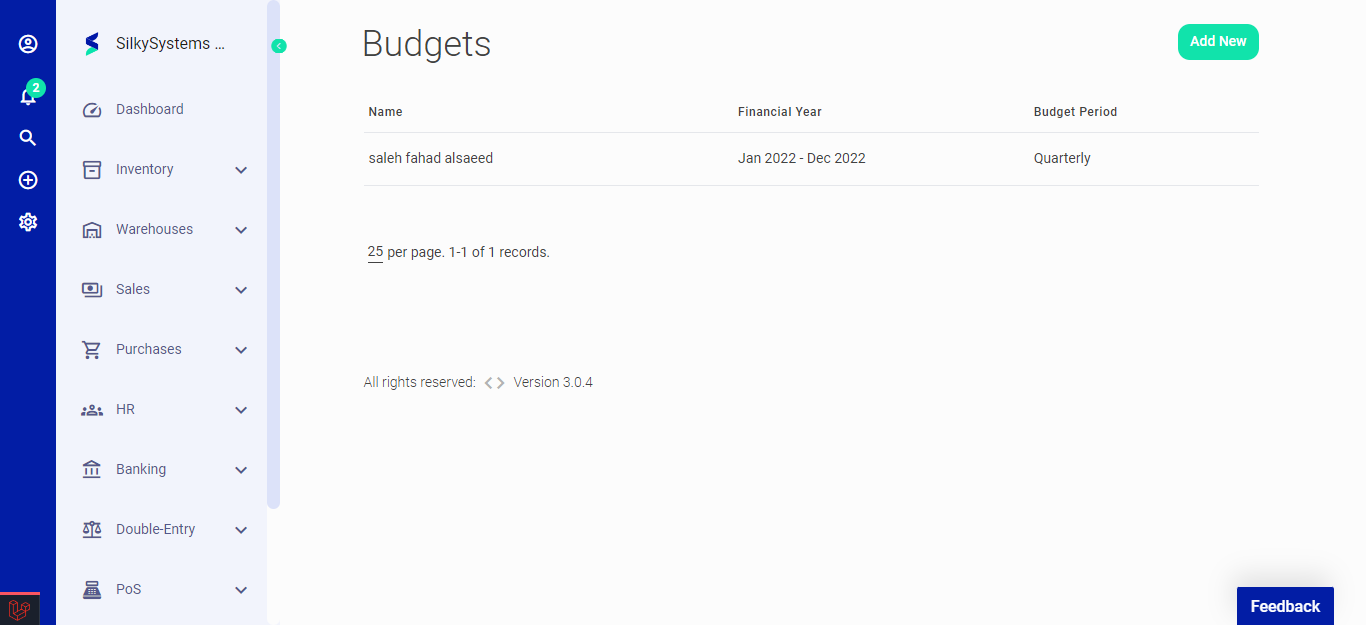 Figure.01 Budget
The following fields are displayed when creating a New Budget:
- Name: Name of the Budget.
- Budget Period: Select the budget period.
- Financial Year: Select the financial year.
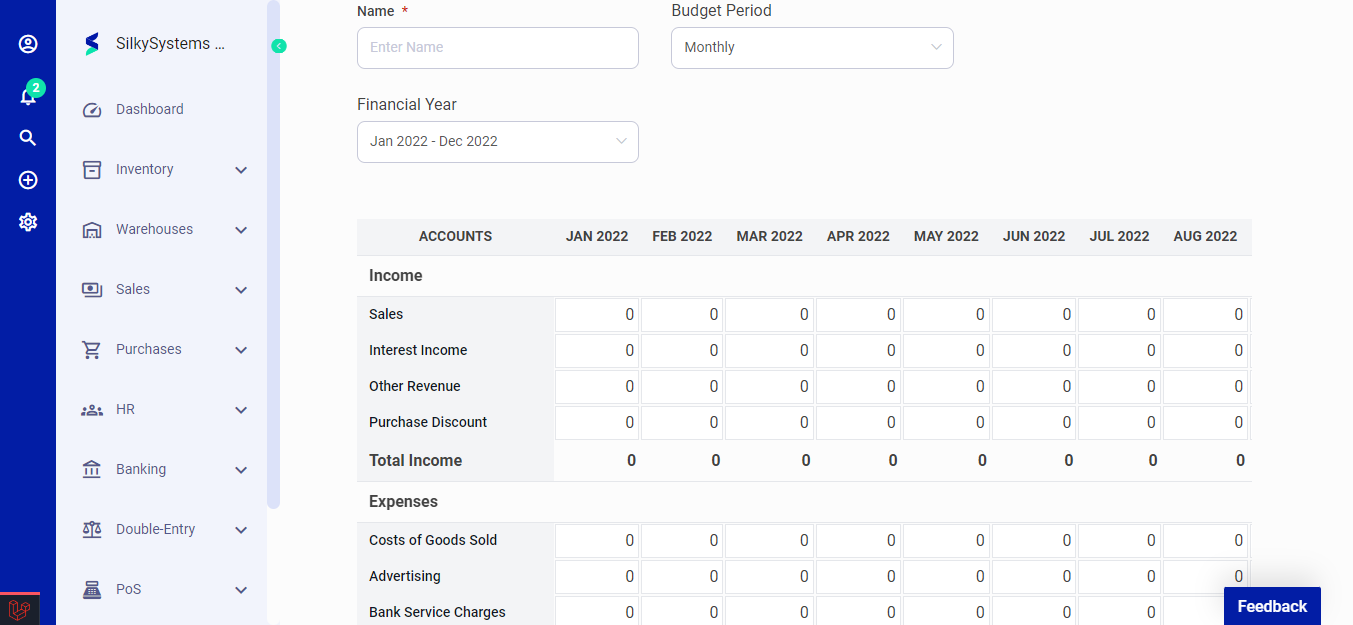 Figure.02 Budget
After creating a new Budget, you can see a list of your Budget on the Budget home page. A mouse hover on a listed Budget reveals the options to show, edit or delete.
Click on any Budget to view its details.
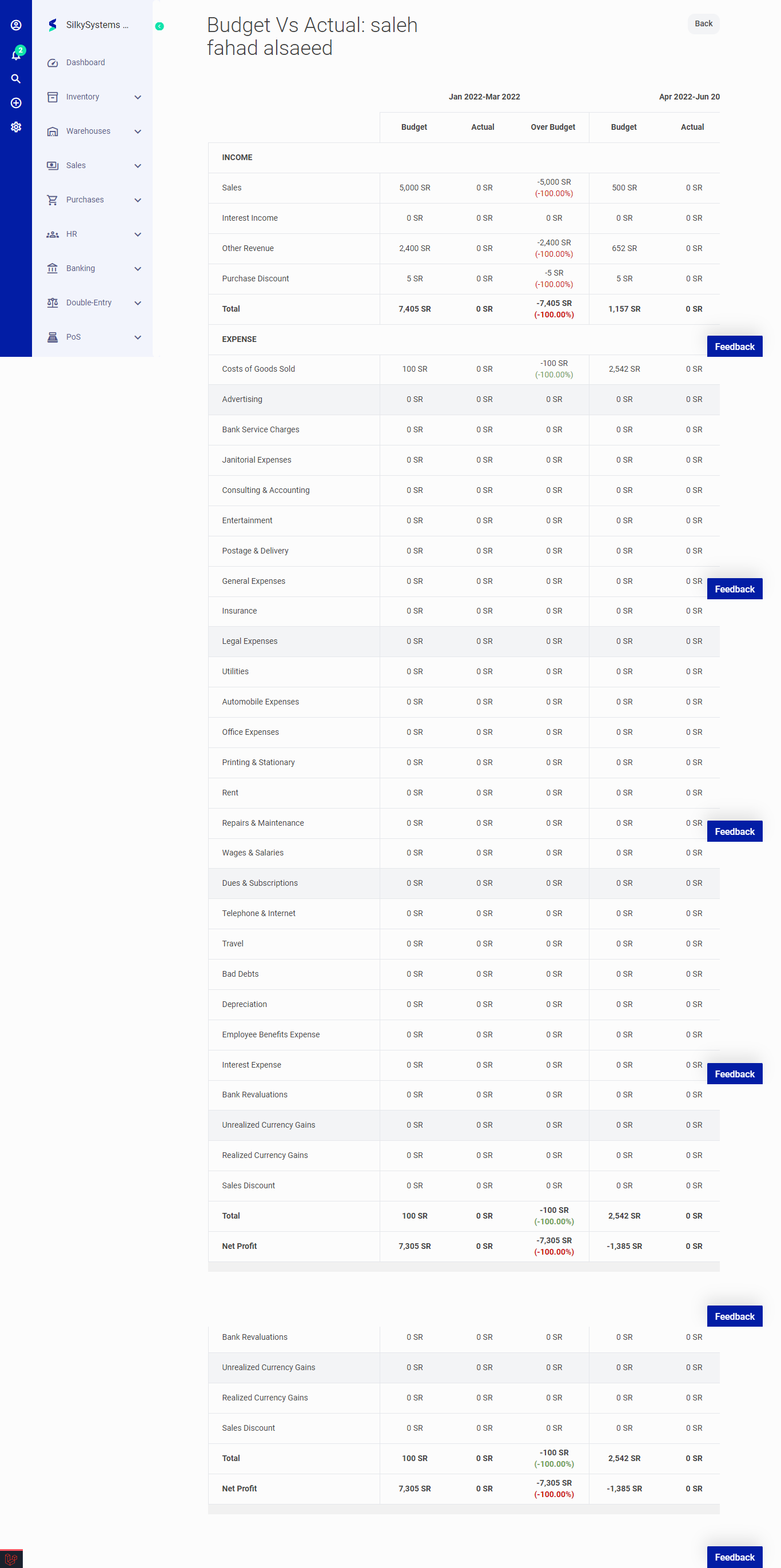 Figure.03 Budget