Estimates
Estimate is an approximation of a monetary amount in the absence of a precise means of measurement. This term is used for an amount measured at fair value where there is estimation uncertainty, as well as for other amounts that require estimation. You can view the list of all Estimates under the Sales section. You can add, edit, delete, export, or import a Estimate.
At the top of the Estimates page, you'll find the New Estimate button. The New Estimates option allows you to create new Estimates. You can add Estimates by selecting the New Estimates button or clicking on the More option to import a list of Estimates using the XLS or XLSX sheet format.
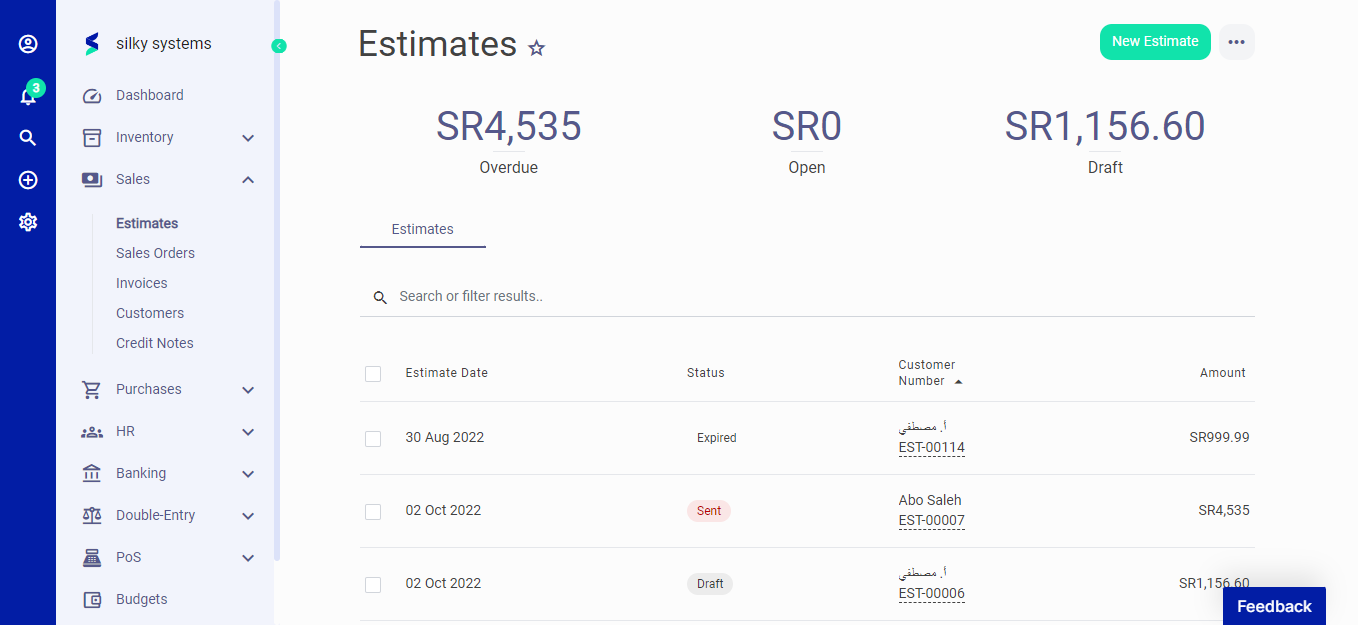 Figure.01 Estimates
The following fields are displayed when creating a New Estimates:
- Customer: Customer name.
- Estimate Date: Date of estimation
- Expiry Date: Date of estimation expiry.
- Estimate Number: Auto generated Estimate number.
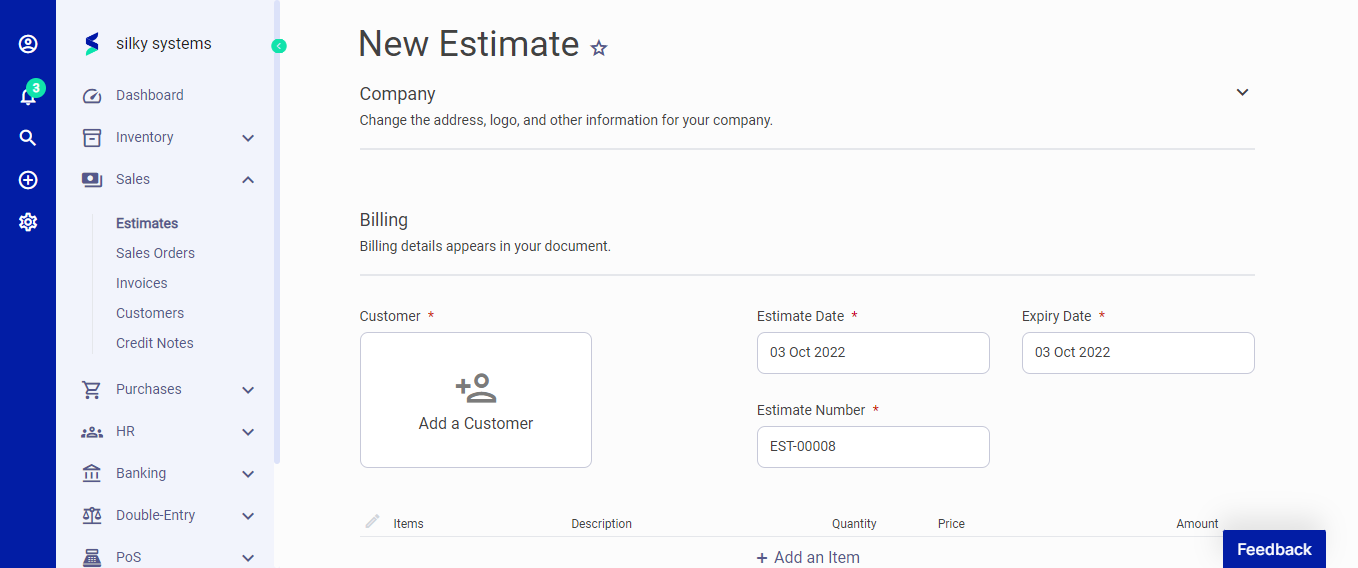 Figure.02 Estimates
Click on add item to start adding the items and their details such as description, quantity, price, and discount. In the Advanced section, you can attach a document, fill in extra information in the footer and assign the category for the estimate.
After creating a new Estimates, you can see a list of your Estimates on the Estimates home page. A mouse hover on a listed Estimates reveals the options to show, edit, duplicate, print, download, send or delete.
Click on send options to mark the status as Send, confirm or convert to Invoice.
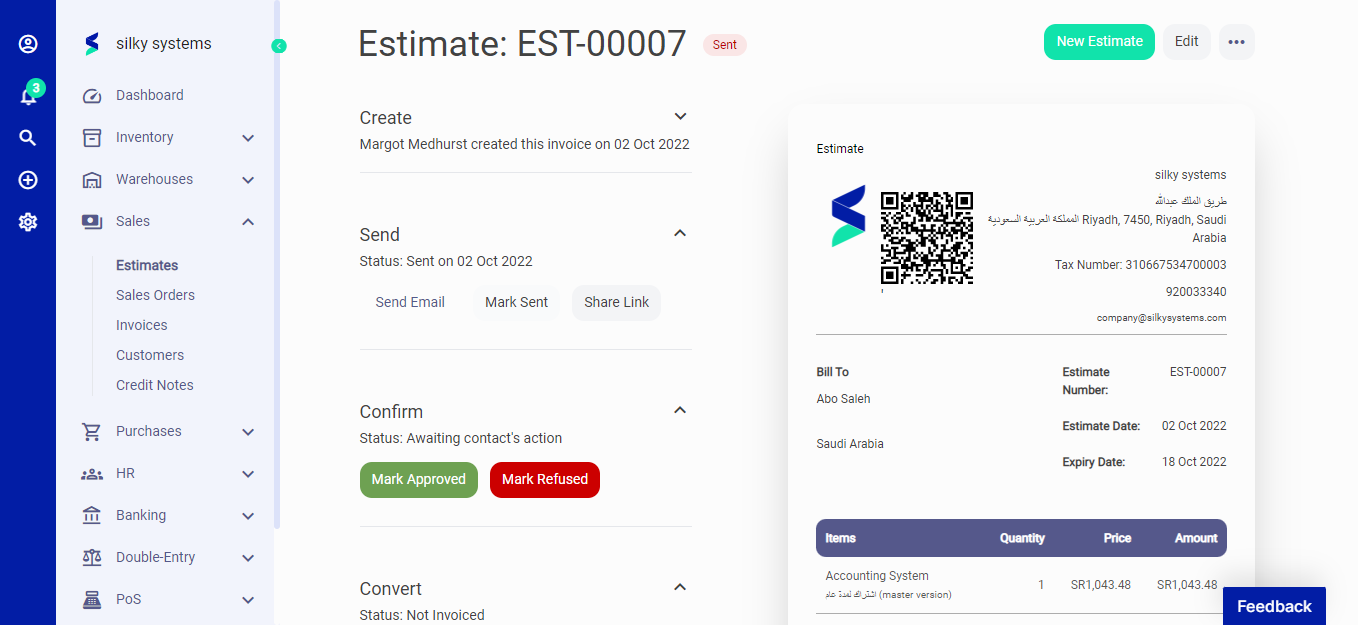 Figure.02 Estimates