Payroll Calender
The payroll app allows you to create dynamic weekly, bi-weekly or monthly pay calendars to pay your employees. You can set basic pay or salary, including fixed amount payments (allowance or deduction) for your employees. You can view the list of all Payroll Calender under the HR section. You can add, edit, delete, export, or import a Payroll Calender.
At the top of the Payroll Calender page, you'll find the New Payroll Calender button. The New Payroll Calender option allows you to create new Payroll Calender. You can add Payroll Calender by selecting the New Payroll Calender button or clicking on the More option to import a list of Payroll Calender using the XLS or XLSX sheet format.
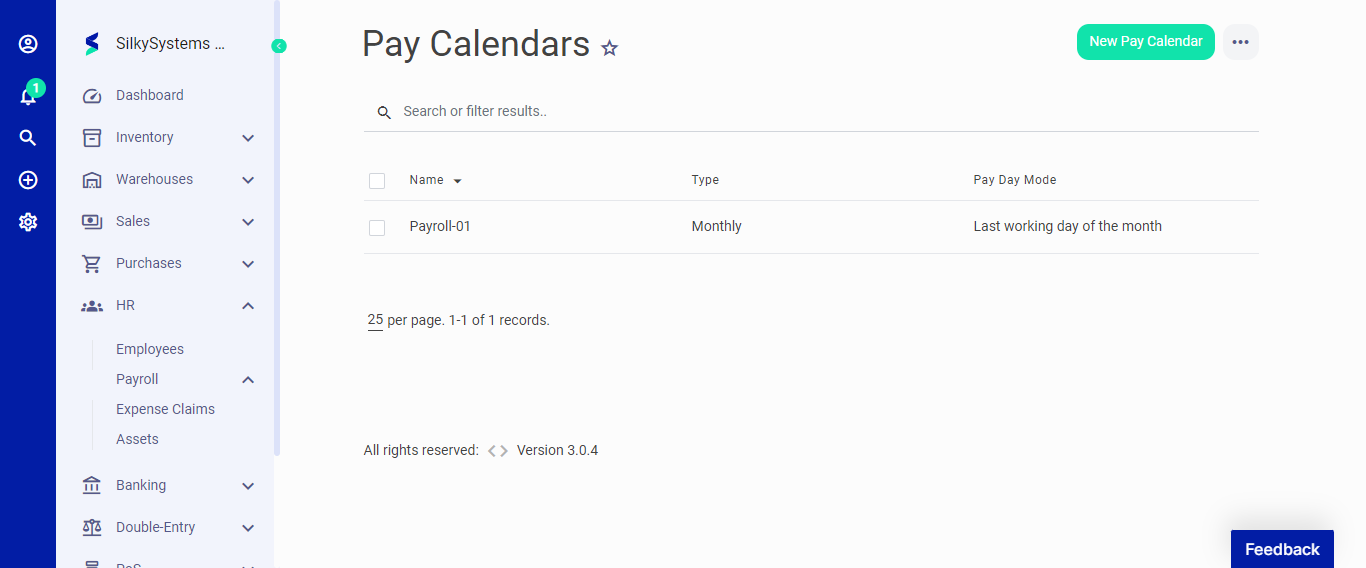 Figure.01 Payroll Calender
The following fields are displayed when creating a New Payroll Calender:
- Name: Name of the Payroll Calender.
- Type: Type of Payroll Calender.
- Pay Day Mode: Pay Day Mode of the Payroll Calender.
- Employee: Select the employees for the Payroll Calender.
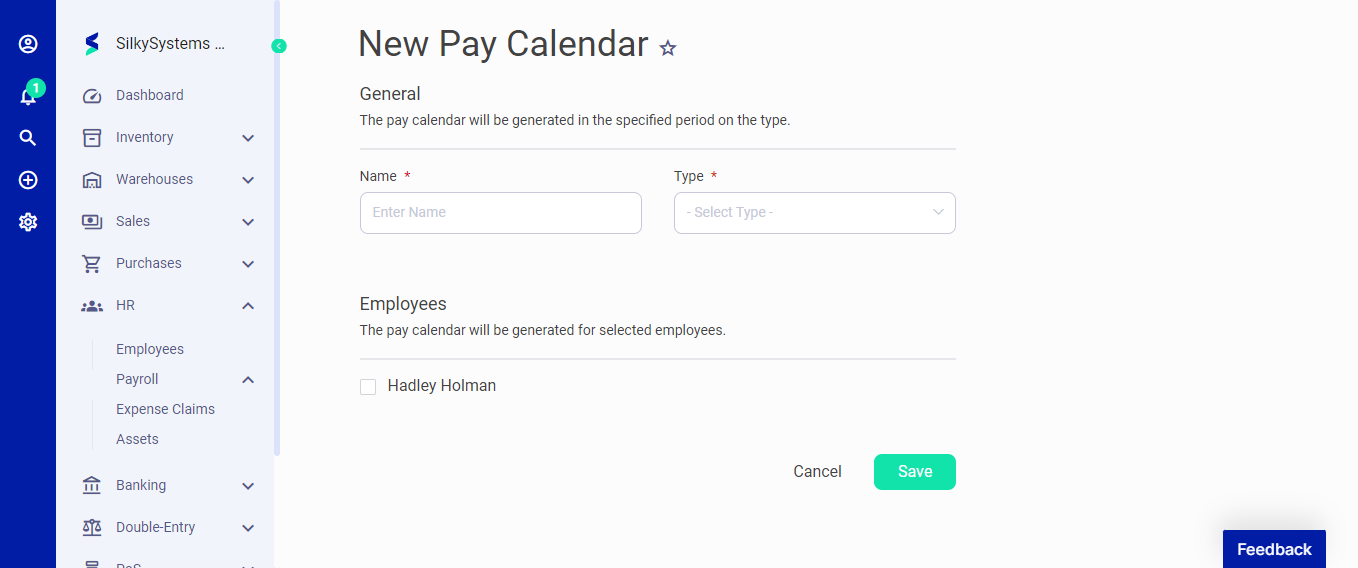 Figure.02 Payroll Calender
After creating a new Payroll Calender, you can see a list of your Payroll Calender on the Payroll Calender home page. A mouse hover on a listed Payroll Calender reveals the options to edit, duplicate, delete or run payroll.