Customers
The POS mobile application allows you to maintain a record of your customers. To provide personalized experiences for your customers, you may manage customer data such as contact information and transaction history. Click Customers from the left-hand menu beneath the Store section.
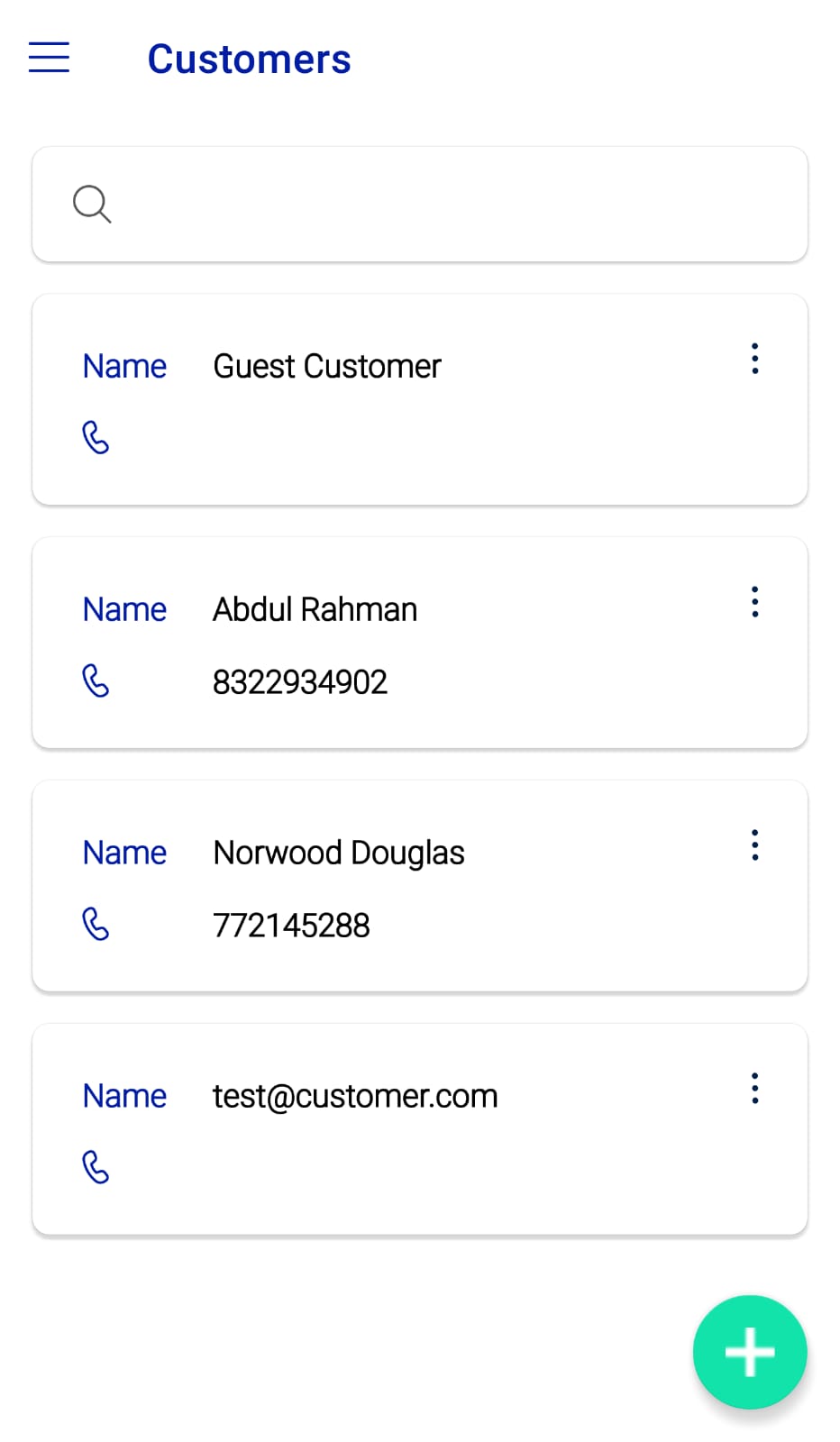 Figure.01 Customers
Here you may see a list of all customers, along with their names and contact numbers. To display additional options, click the three dots on the right side.
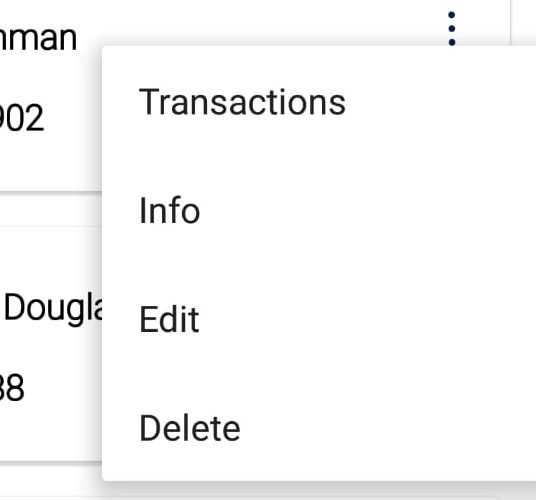 Figure.02 Customers
- Transactions: Click on Transaction to view all the transaction history with this customer.
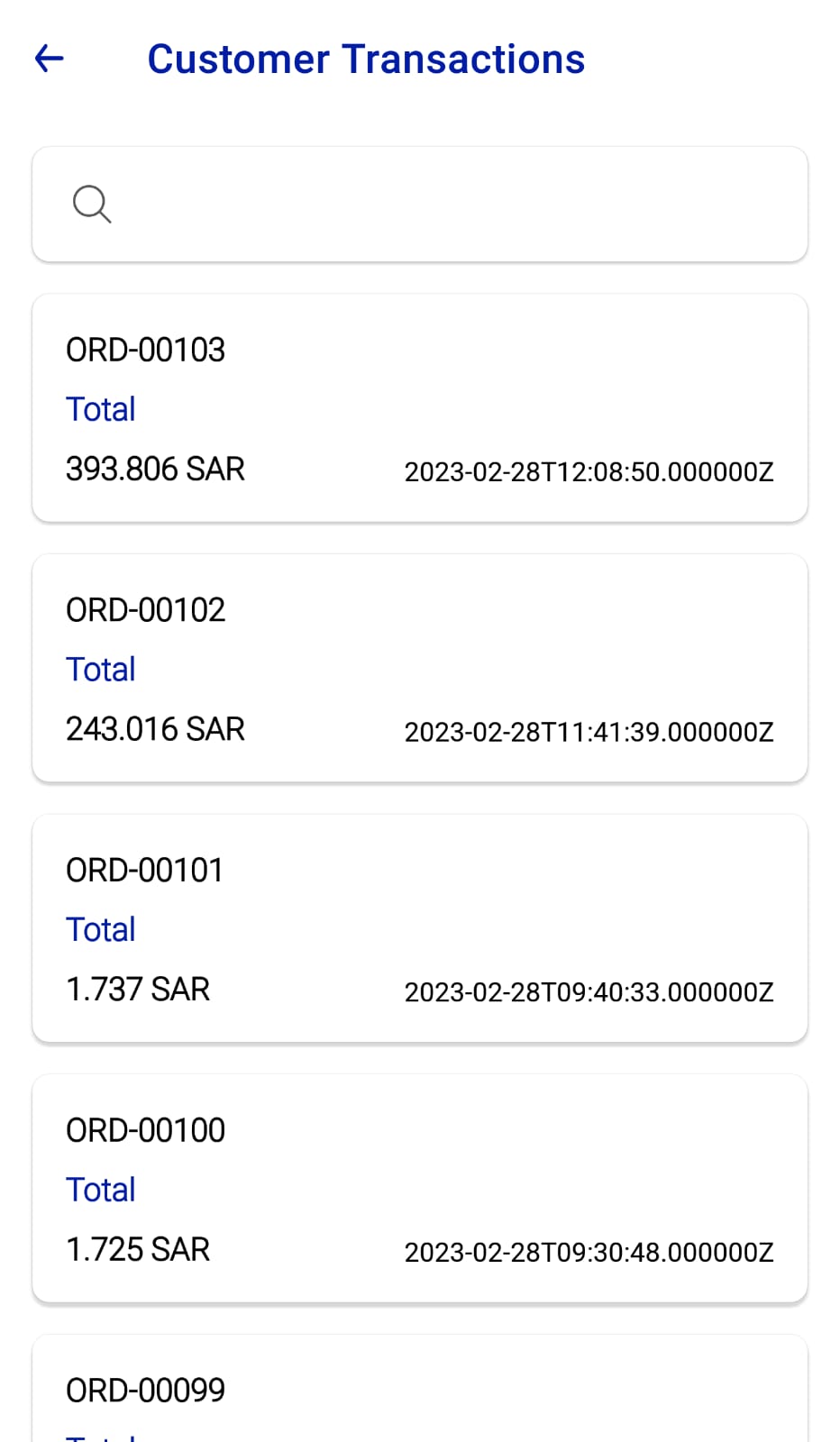 Figure.03 Customers
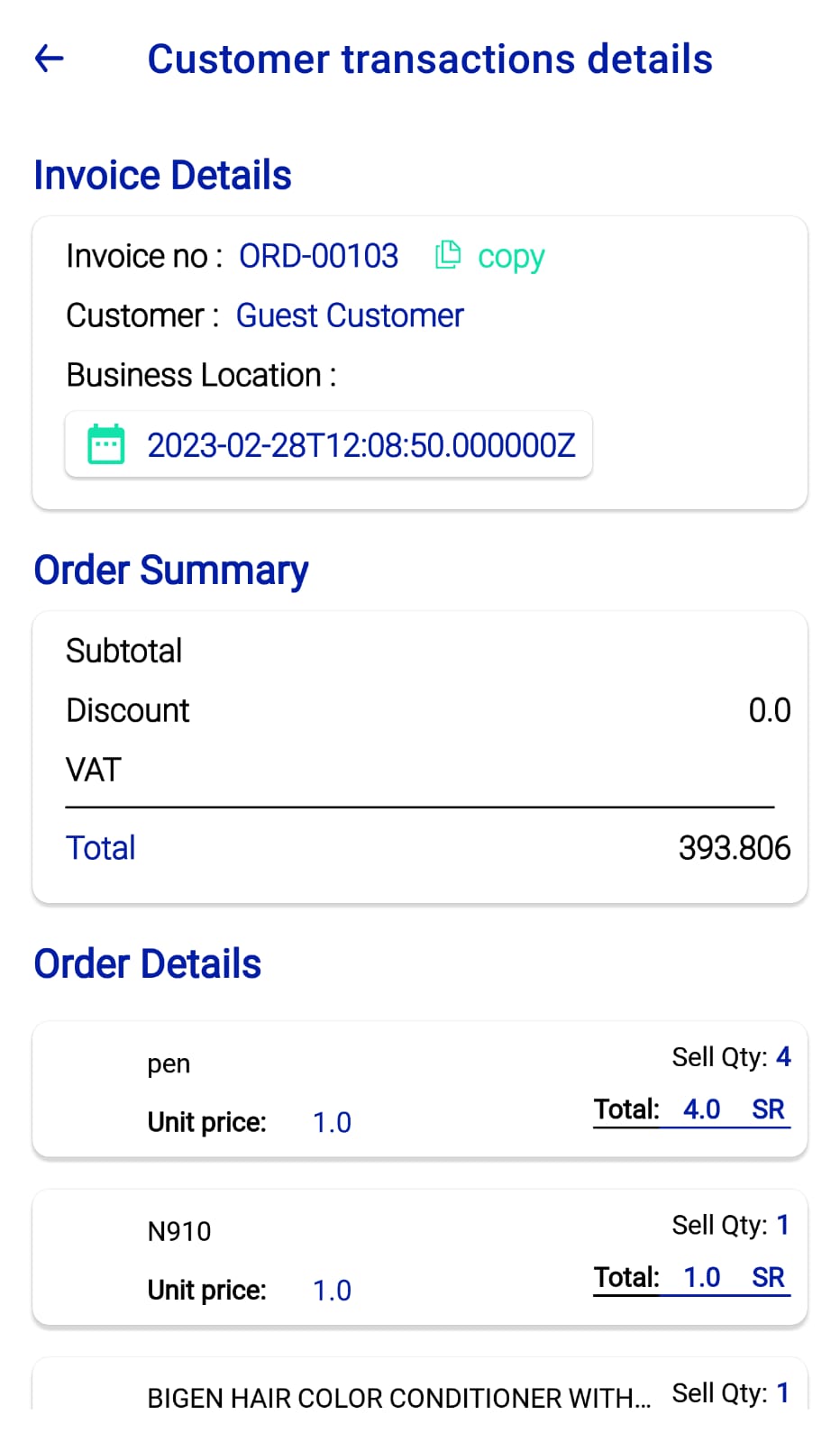 Figure.04 Customers
- Info: Click on Info to view all the customer details such as name, email, phone number, address and tax number.
- Edit: Click on Edit to edit the customer details.
- Delete: Click on Delete to delete the customer details.
You can create new customers by clicking on the plus icon below. Fill in all the required details and click Add.